
Within an Advertiser navigate to "Audiences" on the left navigation bar.

Within this UI you are able to filter for the type of audience that you would like to add to this advertiser using the left side of the audience table. Select “Third-party” to show all of the available 3P audiences within the DSP .
Once you find a new audience simply click “Add” under the Status column and now this audience will be searchable within the Line Item that you create for your campaign
Uploading 1P Audiences
Within an Advertiser navigate to "Audiences" on the left navigation bar.
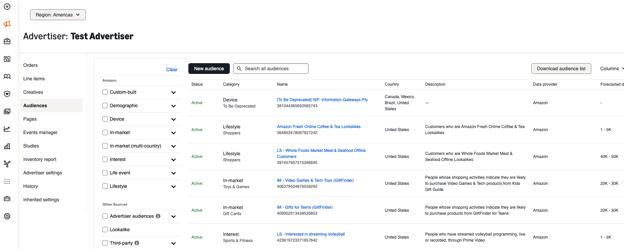
Next, select the “New audience” black button and scroll to the bottom of the new page. You will see an option to select “Hashed audience data”.
Once in the new screen enter in the details and then follow the file preparation tool that is highlighted. This tool will allow you to map all of the columns correctly so the audience matching can be as accurate as possible.